Keep the Liebert equipment. Retire the SiteLink.
The Smart Panel IGM connects up to twelve Liebert units over the RS-422 IGM wiring already in your building. It is a complete Pythia DM in a wall-mount panel: live dashboards, alarms, notifications and trends for every unit, published to your BMS and NMS.
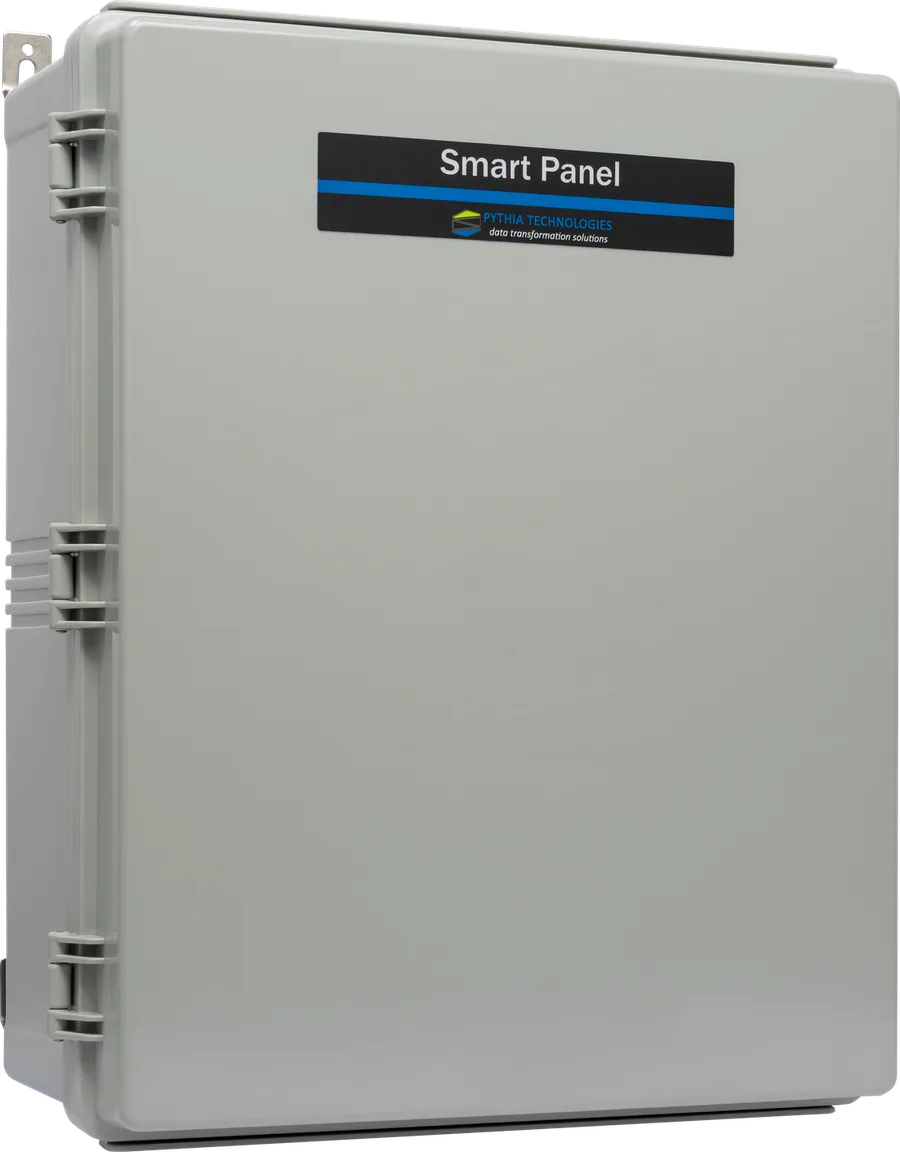
Your Liebert units, back on the network, without rewiring.
Many sites still run Liebert cooling, UPS and power equipment that reports over the IGM interface, through a SiteLink that is hard to support and hard to integrate.
The Smart Panel IGM takes the SiteLink's place on the same RS-422 wiring, reads each unit in its native IGM protocol and gives you everything the Pythia DM does.
Everything the DM does, for your Liebert equipment.
SiteLink replacement
Lands on the RS-422 IGM wiring already in place, so there are no new communication runs to the equipment.
A full DM inside
The same software as a Pythia DM server: web console, dashboards, alarms, notifications and trends.
BMS and NMS ready
Every point published at once as a BACnet/IP device, a Modbus/TCP server and an SNMP agent, with maps built for you.
Dashboards for Liebert equipment
UPS online, on-battery and bypass states; which STS source is preferred and on load; leak cable state and distance.
Controls where the unit allows them
Liebert CRAC types such as Deluxe System/3 and Mini-Mate2 expose controls, each disabled for outside writes until you enable it.
Finds the units for you
A Pythia discovery tool identifies each unit on its IGM interface and names its driver. It only reads from the unit.
Native drivers for the Liebert equipment on the IGM bus.
Each Liebert type has its own DM driver, so its readings, alarms and controls arrive with the right names and units. Point sets can vary with equipment options and driver version.
| Liebert / Vertiv equipment | Driver | What you see |
|---|---|---|
| Cooling | ||
| Deluxe System/3 CRAC | LAM | Unit drawing, readings, alarms, controls |
| Mini-Mate2 ceiling-mount cooling | MM2 | Unit drawing, readings, alarms, controls |
| Precision cooling, Level 0 / Level 10 | L00 · L10 | Readings and alarms |
| XD refrigerant chiller | XDC | Mode and readings |
| UPS | ||
| Multi-Module UPS (Series 600/610) | MM4 | Online, on battery, output off; battery state |
| Single-Module UPS with static bypass | SM4 | Adds on bypass |
| UPS System Control Cabinet | SC4 | System state and up to six module tiles |
| NPower UPS · SMS UPS | NPR · SMS | Readings and alarms |
| Power | ||
| Precision Power Center (PDU) | PMP · PMP2 | One-line; PMP2 adds THD, K-factor, crest factor |
| Static Transfer Switch · STS2 | STS · ST2 | Two sources, preferred and on-load |
| Leak detection and monitors | ||
| Leak detection, single or dual cable | WDU · WDU2 | Cable OK, leak or fault; leak distance |
| RCM8 remote contact monitor · UVM8 universal monitor | RCM8 · UVM8 | Readings and alarms |
Four steps, no new cable runs.
Identify
The discovery tool reads each unit on the IGM pair that ran to the SiteLink and names its driver.
Land the wiring
The existing RS-422 IGM pairs land on the panel's channels.
Connect
One network connection through the built-in switch. Each unit comes into the console with its dashboard.
Integrate
Point your BMS or NMS at the panel's BACnet/IP, Modbus/TCP or SNMP maps.
Where the Liebert unit allows it, an MS0-MBT gateway can be fitted inside the unit and a network cable run back to the panel instead of reusing the serial IGM pair. It's a good option when the existing IGM wiring is damaged, undocumented or no longer usable.
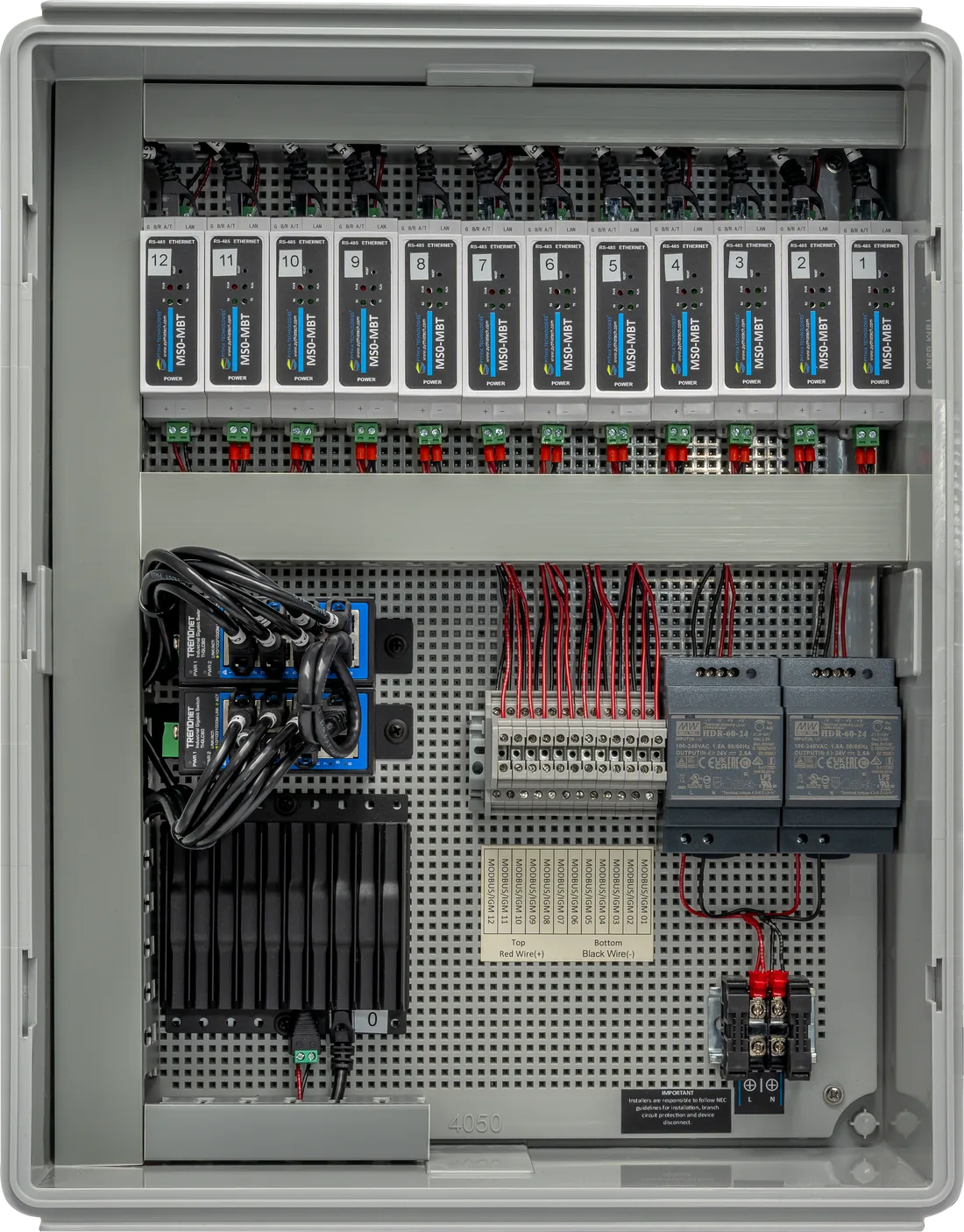
Smart Panel IGM (SPIGM).
| Equipment connections | |
|---|---|
| IGM inputs | Up to 12 Liebert IGM devices per panel, RS-422, on existing IGM wiring |
| Protocols in | Liebert IGM (native) |
| Discovery | Pythia IGM discovery tool identifies each unit and its driver (read-only) |
| DM platform | |
| Console | Web console and full-screen Alarm View in any modern browser over HTTPS |
| Alarms and notifications | Unit alarms with roll-up, acknowledgment and history; email and SNMP traps routed by alarm category |
| Trends | Five trend buckets from five-minute to long-term, with PDF and Excel export |
| Publishing | BACnet/IP device, Modbus/TCP server and SNMP v1/v2c agent, with maps built automatically |
| AI Connector | Available for the SPIGM: Claude, ChatGPT or any MCP assistant; read-only by default |
| Network and power | |
| Network | Built-in Ethernet switch; single network uplink |
| Power | 100–240 VAC input (1.8 A max per supply); dual 24 VDC DIN-rail supplies |
| Physical and ordering | |
| Enclosure | Wall-mount ABS, IP67, 510 × 410 × 200 mm |
| Ordering | SPIGM, Smart Panel IGM (12-channel). SPIGM-CUST for custom configurations |
Specifications are subject to change. Larger sites can add custom IGM panels, without their own processor, connected to a primary SPIGM.
Ask your Liebert equipment a question.
Connect Claude, ChatGPT or any assistant that speaks MCP. It answers from the panel's live data: which units are in alarm, what a CRAC is reading, how a UPS has been running. New assistant accounts are read-only, and changes are made only where an administrator allows them.
The assistant wants to change equipment at your site:
Smart Panel IGM questions, answered.
What is the Smart Panel IGM (SPIGM)?
The Smart Panel IGM is a Pythia DM in a wall-mount panel, built for Liebert equipment with IGM interfaces. It connects up to 12 Liebert IGM devices over the existing RS-422 IGM wiring and gives each one a live dashboard, alarms, notifications and trends, published to your BMS and NMS.
Can the SPIGM replace a Liebert SiteLink?
Yes. The SPIGM is a drop-in replacement for Liebert SiteLink. The existing RS-422 IGM pairs that ran to the SiteLink land on the panel's channels, so there are no new communication runs to the equipment.
Which Liebert equipment does the SPIGM support?
The DM has native IGM drivers for Liebert Deluxe System/3 CRAC, Mini-Mate2, precision cooling with Level 0 and Level 10 control, XD refrigerant chillers, Multi-Module and Single-Module UPS, UPS System Control Cabinets, NPower and SMS UPS, Precision Power Center PDUs, Static Transfer Switch and STS2, single- and dual-cable leak detection, and RCM8 and UVM8 monitors. Point sets can vary with equipment options and driver version.
Can I use network cable instead of the existing IGM wiring?
Yes. Where the Liebert unit allows it, an MS0-MBT gateway can be fitted inside the unit and a network cable run back to the panel. This is a good option when the existing IGM wiring is damaged, undocumented or no longer usable.
How many Liebert units can one SPIGM connect?
Up to 12 Liebert IGM devices per panel. Larger sites can add custom IGM panels, without their own processor, connected to a primary SPIGM.
How does the SPIGM connect to a BMS or NMS?
Every point is published at once as a BACnet/IP device, a Modbus/TCP server and an SNMP v1/v2c agent, with maps built automatically. Pythia documents the Modbus register, BACnet object and SNMP OID for every point of each Liebert type.
Can I change Liebert CRAC setpoints through the SPIGM?
Liebert CRAC types such as Deluxe System/3 and Mini-Mate2 expose controls through the DM. Each control is disabled for outside writes until you enable it on the DM, and values outside a control's limits are refused.
How do I find out which Liebert units are on my IGM bus?
Pythia's IGM discovery tool reads each unit on its IGM interface and reports which DM driver to use. It only reads from the unit and never changes it.
Does the SPIGM need a separate server?
No. The SPIGM is a DM: it runs the same software as a Pythia DM server, including the web console, alarms, notifications, trends and protocol publishing. It has a built-in Ethernet switch, so the whole panel needs one network connection.
Can AI assistants read data from the SPIGM?
Yes, with the DM AI Connector, available for the SPIGM. Claude, ChatGPT or any MCP-capable assistant can read live values, alarms and trends. Assistant accounts are read-only by default, and changes are made only where an administrator allows them.
Call for pricing.
Contact us for a demo or pricing, and we'll confirm the right configuration for your site.