New: the DM AI Connector lets Claude, ChatGPT or any MCP assistant answer from your live facility data. See how
PYTHIA TECHNOLOGIES 740.363.2272
Integration

Protocol conversion and integration.

Your site runs on more than one language. Pythia connects BACnet, Modbus and SNMP systems, old and new, so your team, your building management system and your IT tools can all read the same data.

One model, every protocol, both directions

Protocol unification, not just conversion.

Most gateways copy data one way, point to point, still described in the source system's terms. Pythia puts every device, whether it speaks BACnet, Modbus, SNMP, HTTP or XML, into one normalized model that can be read and commanded from any other protocol.

Full platform

Pythia DM

Unification inside a complete monitoring and control system: dashboards, alarms, trends and notifications built on the converted data.

The platform path →
Dedicated device

Hardware gateways

Industrial devices for one fixed connection: converters where two systems speak different protocols, bridges where serial equipment needs the network.

See the gateways →
Software path

Software

Protocol unification in software from our partner BuiltLayer, on a Windows machine you already own or on Pythia hardware, with many devices and protocols in one install.

About the software path →
What sets it apart

One set of mappings, every audience.

Unify, don't just convert

Modbus, BACnet/IP, SNMP, HTTP and XML map into one common model. No per-pair translation tables to maintain.

Bidirectional control

Read and write across any protocol boundary, through one consistent setpoint model.

Safe by default

Nothing is writable until someone enables it, one point at a time. Values outside a point's limits are rejected, not adjusted.

Deploy to suit the site

A DM server, a redundant pair, a Smart Panel or DM Cloud, or a single gateway on a DIN rail.

In practice

A data center brings a second hall online. The new UPS and switchgear speak Modbus/TCP, the CRAC units sit on an RS-485 trunk speaking BACnet MS/TP, the generator controller is Modbus RTU, and the rack PDUs and network gear speak SNMP.

Facilities wants it all in their BACnet/IP head end. IT wants it in SolarWinds, because when a hall goes down it's their outage too. Point to point, that's a stack of boxes, each with its own point map, and two teams working from different copies of the same data.

Unified, the equipment lands once. The BMS reads it as BACnet objects and SolarWinds polls the same points as SNMP. One set of mappings, two audiences, and the next protocol joins the same model instead of starting another chain.

The platform path

Protocol conversion inside the Pythia DM.

Every point the DM converts lands in the same model, and everything else the platform does is built on it: live dashboards, alarms with history, trends, on-demand reports and notifications.

  • Talks to equipment over BACnet/IP, Modbus/TCP, Modbus RTU, SNMP, HTTP, XML and Liebert IGM, with drivers for other equipment supplied on request.
  • Publishes everything at once as a BACnet/IP device, a Modbus/TCP server and an SNMP v1/v2c agent.
  • Point maps export to CSV, PDF, Excel, HTML, JSON, EDE and MIB, so the integrator on the other end gets the list in the form their tool expects.
  • Commands a device only when a value actually needs to change, which means less traffic on the trunk.
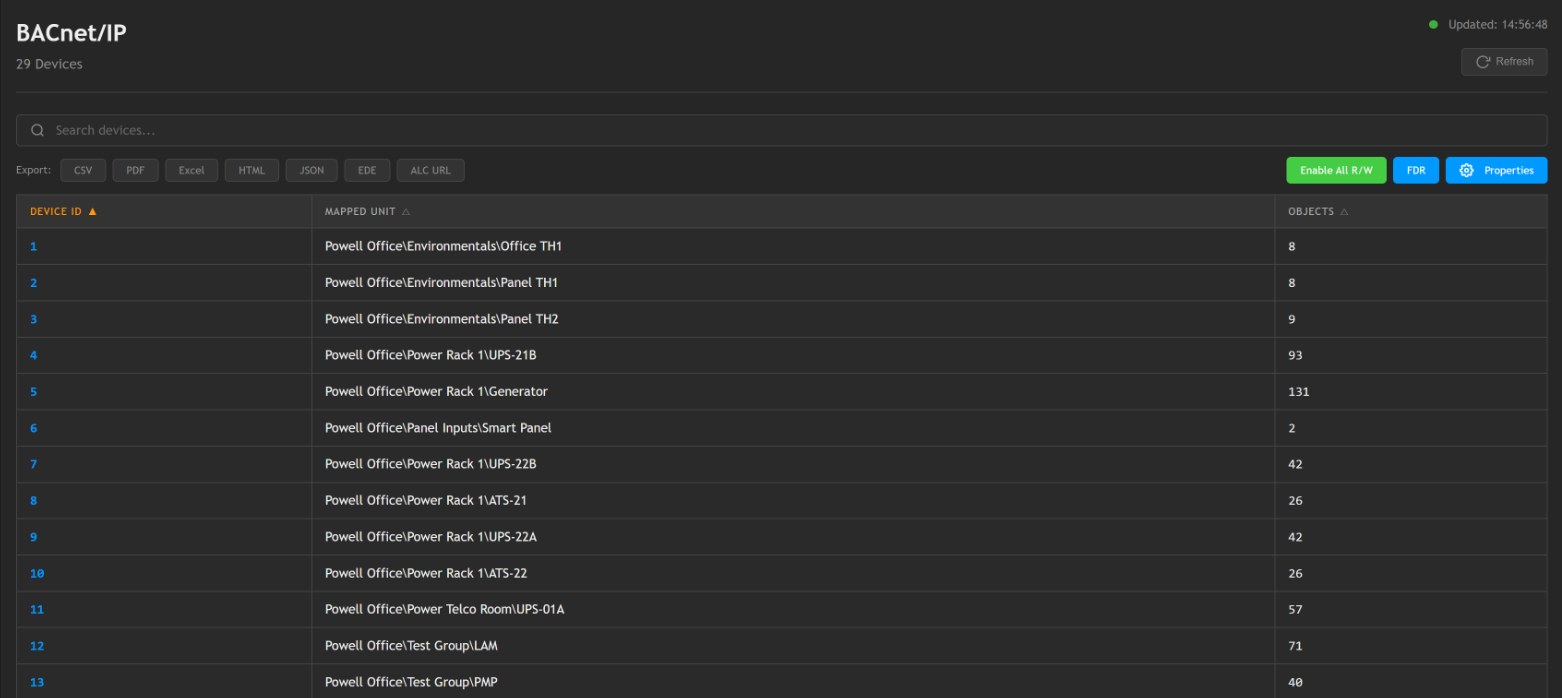
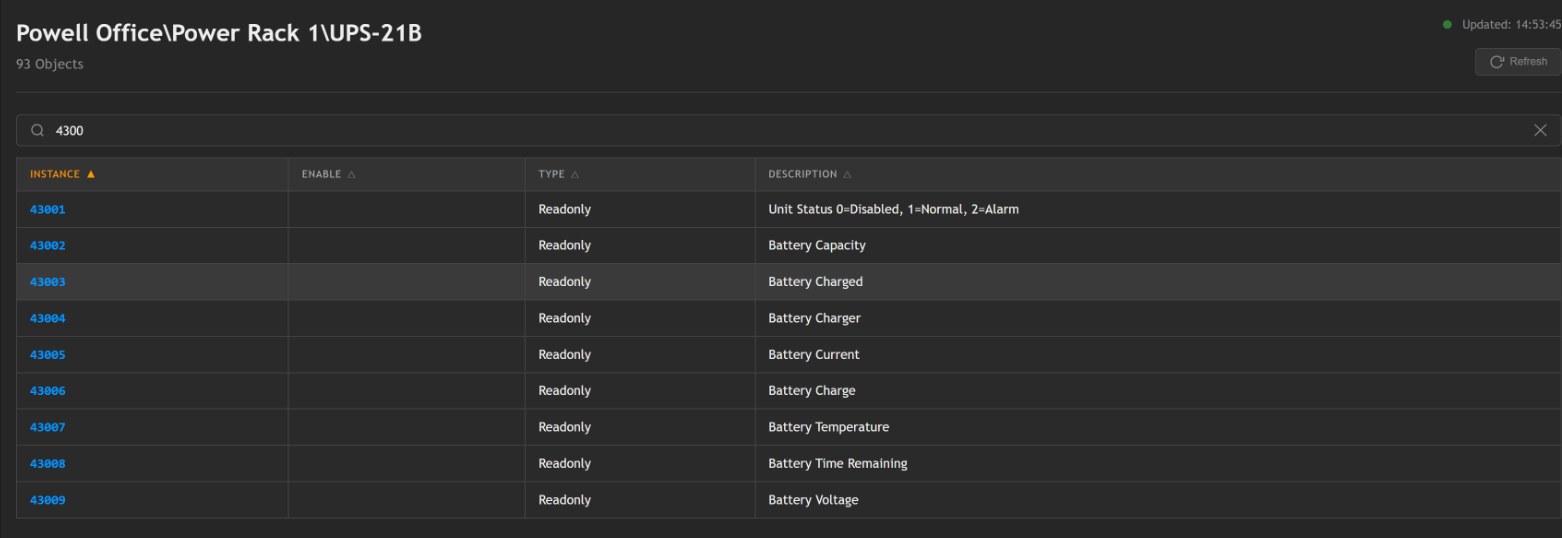
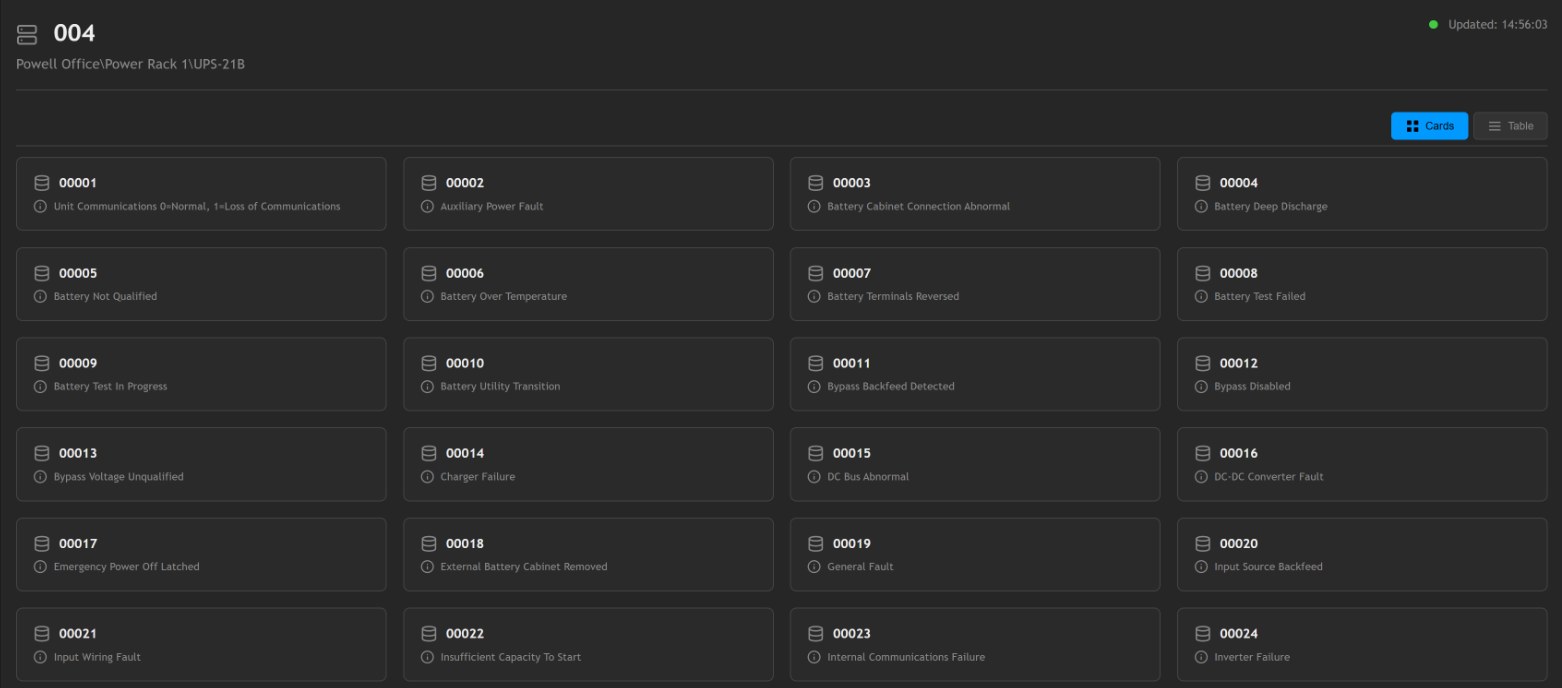
DM Mappings, BACnet/IP: each monitored unit listed as its own BACnet device with its object count BACnet objects for one UPS, including 43006 Battery Charge and 43008 Battery Time Remaining
BACnet/IP: every unit is published as its own BACnet device, and the list exports to CSV, PDF, Excel, HTML, JSON and EDE. Below, one UPS's data objects.
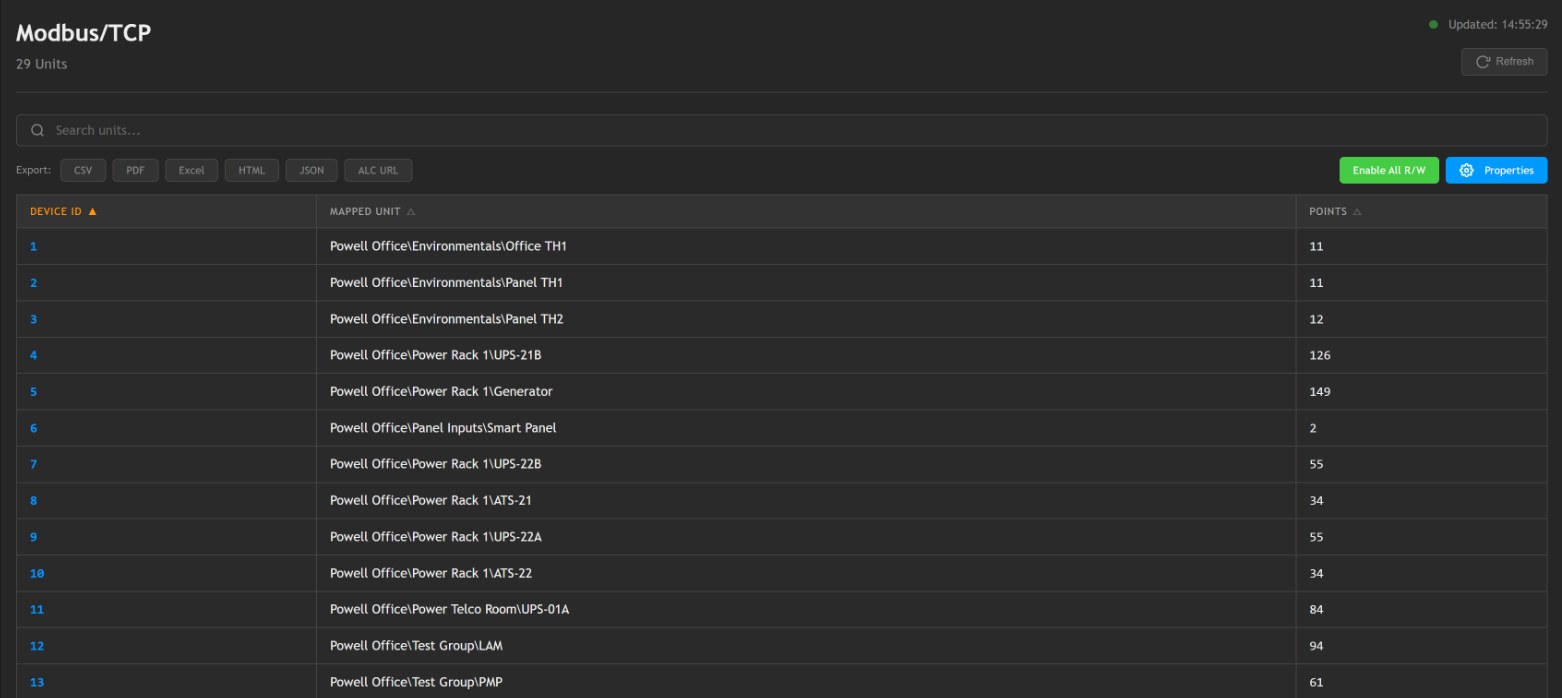
DM Mappings, Modbus/TCP: each monitored unit listed with its own Modbus unit ID and point count Modbus register map for one UPS, starting with its alarm coils
Modbus/TCP: every unit gets its own Modbus unit ID. Below, the register map for one UPS, starting with its alarm coils.
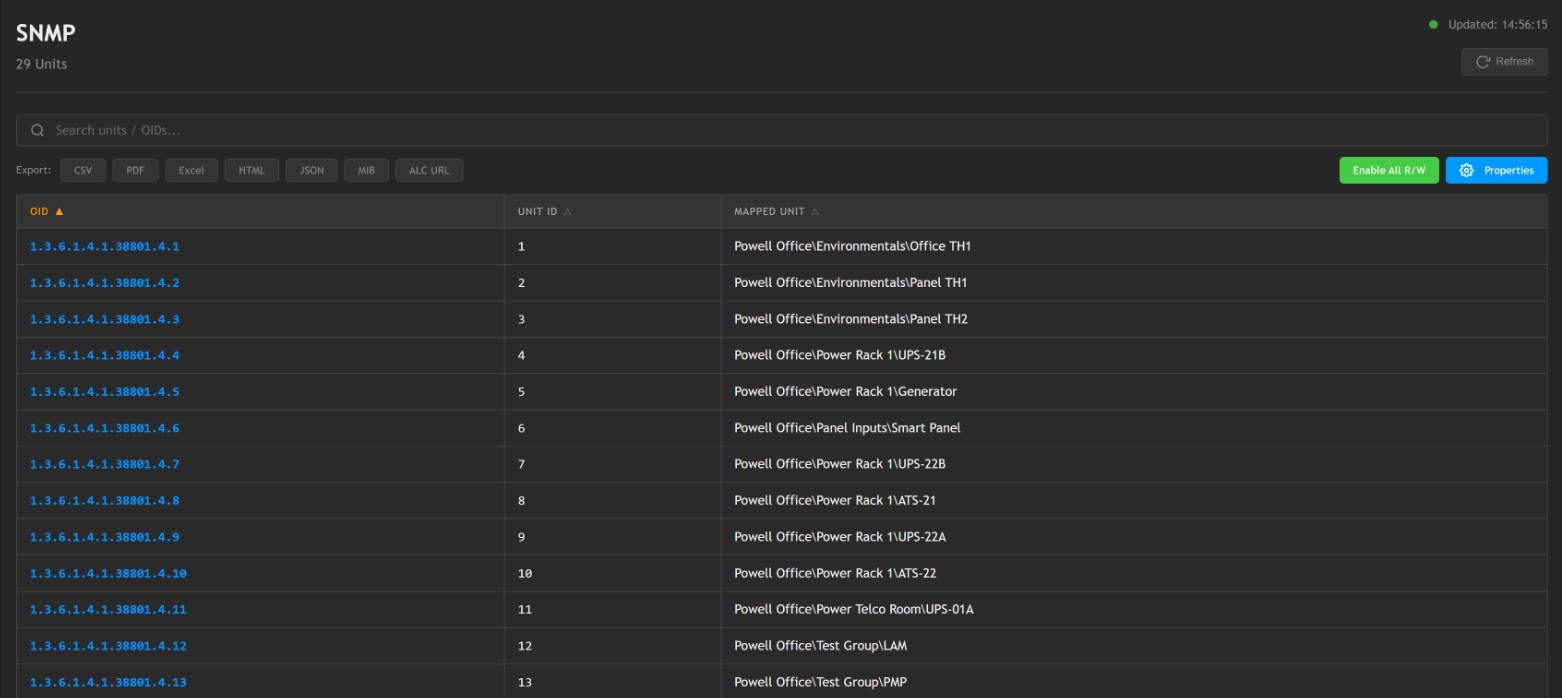
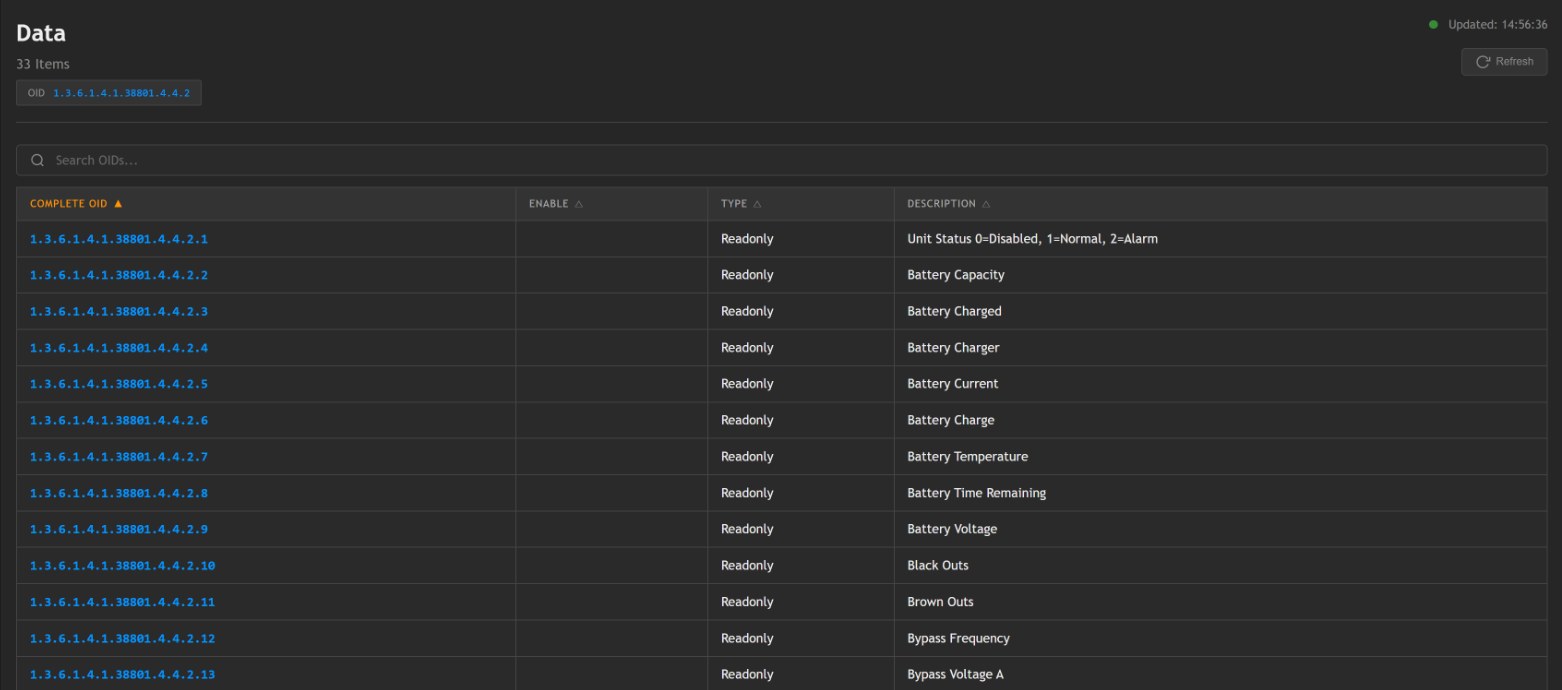
DM Mappings, SNMP: each monitored unit listed with its own OID branch under enterprise 38801 SNMP data OIDs for one UPS, including Battery Charge and Battery Time Remaining
SNMP: every unit gets its own OID branch under Pythia's enterprise number, and the map exports as a MIB. Below, the data OIDs for one UPS.
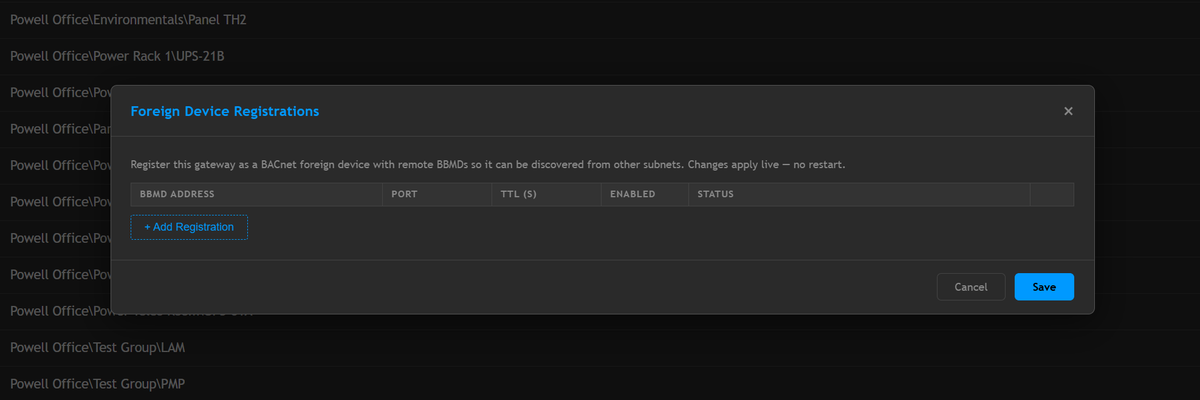
BACnet foreign device registration settings in the DM
BACnet foreign device registration, so a BMS on another subnet can discover the DM. The same units are published as Modbus/TCP and SNMP at the same time.
One point, every protocol

Watch one UPS reach every system at once.

The DM reads each value once and publishes it to all three protocols at the same moment. Here a UPS loses utility power, and the BMS, the SCADA system and the network monitor each see it in their own language.

Illustrative example on a simulated UPS. The object numbers, registers and OIDs follow the DM's own numbering for unit 4, and the full lists export to CSV, EDE and MIB for the integrator.

Hardware protocol gateways

One fixed connection? Use a gateway.

Two families. If two systems speak different protocols, you need a converter. If they speak the same protocol on the wrong kind of wire, you need a bridge, which is simpler and less expensive. Every unit is industrial grade and configured from a web browser, with no vendor software to install.

Protocol converters

Map each point from one protocol's model into another's: a Modbus register becomes a BACnet object or an SNMP object.

MS0-MB

Modbus RTU / TCP ↔ BACnet/IP

Brings generator controllers, UPS systems and industrial equipment onto a building automation network as native BACnet objects. Registers can be read and written from the BACnet side.

  • Modbus RTU (RS-485) and Modbus TCP to BACnet/IP, server and client modes
  • Bidirectional mapping
  • Web-based configuration, no software to install
  • 12–36VDC or 24VAC; DIN-rail; −40°C to 85°C

Best for: putting generator and UPS data on a BACnet BMS, including retrofits where the BMS must command Modbus devices.

Call for pricing: 740.363.2272
MS0-MS

Modbus RTU / TCP ↔ SNMP

Makes mechanical and power equipment visible to IT monitoring. Modbus points become SNMP objects your NMS can poll and trap on.

  • Modbus RTU (RS-485) and Modbus TCP to and from SNMP
  • Hardened RS-485 port, 1200–115200 baud
  • Browser-based configuration; DHCP or static IP
  • 12–36VDC or 24VAC; DIN-rail; −40°C to 85°C

Best for: bringing generators, UPS systems and CRAC units into SolarWinds or another SNMP-based NMS.

Call for pricing: 740.363.2272
MS0-BS

BACnet/IP and MS/TP ↔ SNMP

Does for a BACnet building automation system what the MS0-MS does for Modbus: exposes BAS points to IT tools that only speak SNMP.

  • BACnet/IP and BACnet MS/TP to and from SNMP
  • MS/TP 9600–76800 baud
  • Up to 10 connected clients
  • 12–36VDC or 24VAC; DIN-rail; −40°C to 85°C

Best for: surfacing BACnet building data and alarms in an SNMP monitoring platform or NOC.

Call for pricing: 740.363.2272

Transport bridges

The same protocol, moved from a serial wire onto Ethernet. Nothing is translated; equipment on an RS-485 trunk becomes reachable across the network.

MS0-MBT

Modbus RTU (RS-485) ↔ Modbus/TCP

The compact DIN-rail Modbus/TCP gateway, built for RS-485 only and sized for the tightest panels.

  • RS-485 screw terminals, 600–460800 baud
  • Up to 8 TCP clients
  • 12–36VDC; DIN-rail
  • −40°F to 185°F

Best for: straightforward RS-485 Modbus devices, tight panels and volume rollouts.

Call for pricing: 740.363.2272
Configurations and accessories

MS0-MBT-IGM kit for Liebert IGM conversions, with gateway, power supply and wiring. OEM pre-configured MS0-MB variants, mapped for SPAC4, H100, PowerZone, UPS and RSP-UPS applications. DIN-rail 24VDC and 24VAC power supplies. Legacy serial interfaces (RS-422, RS-232 DB-25 and multi-drop) and custom assemblies. Contact us with the application and we'll specify it.

The same gateways are built into Pythia panels: the SPAC4 carries an MS0-MB, and the Remote Status Panels ship with the gateway that matches what they report to.

The software path

Protocol unification in software.

BuiltLayer Proto is protocol unification software made by BuiltLayer. Pythia partners with BuiltLayer to supply it for Pythia projects. It runs on a Windows machine you already own, or Pythia ships it pre-installed on Pythia hardware as a turnkey edge appliance. Where a converter handles one protocol pair, Proto holds every device in one model at once. BuiltLayer Intelligence connects a Proto deployment to AI through an MCP server and an API.

Tell us what equipment you have and we'll tell you whether the software path fits.

Questions

Protocol conversion questions, answered.

What is a protocol converter?

A protocol converter, also called a protocol gateway, translates data between two communication protocols, such as BACnet and Modbus, so systems that don't understand each other can share data. Pythia's converters go further: connected points can be read and commanded in both directions.

How do I connect Modbus equipment to an SNMP-based IT monitoring system?

A Modbus-to-SNMP gateway translates between the two so a platform such as SolarWinds can read equipment that only speaks Modbus, without replacing either system. The Pythia MS0-MS does this in hardware, and the Pythia DM does it as part of a full monitoring platform.

Do I need hardware or software for protocol conversion?

It depends on scale. A dedicated hardware gateway suits one fixed connection. The Pythia DM unifies many devices and protocols in one system and adds monitoring, alarms and trends. BuiltLayer Proto, software from our partner BuiltLayer, does unification on your own computer or on Pythia hardware.

What's the difference between BACnet MS/TP and BACnet/IP, and do I need a router?

They are the same BACnet protocol on two different networks: MS/TP runs on an RS-485 serial bus, and BACnet/IP runs on Ethernet. Devices on one can't talk to devices on the other directly, so a BACnet router joins them. A router is also needed when BACnet/IP spans subnets, which is what BBMD and Foreign Device Registration handle.

Not sure which one you need?

Tell us what equipment you have and what needs to read it. We'll tell you whether that's a gateway, the DM or something in between. Contact us for a demo or pricing.